
Automation earns its keep in the boring middle: extract, classify, reconcile, route.
Six things these systems have had to prove in production, not in a demo. Every figure links to the build it came from.
Runs without a babysitter
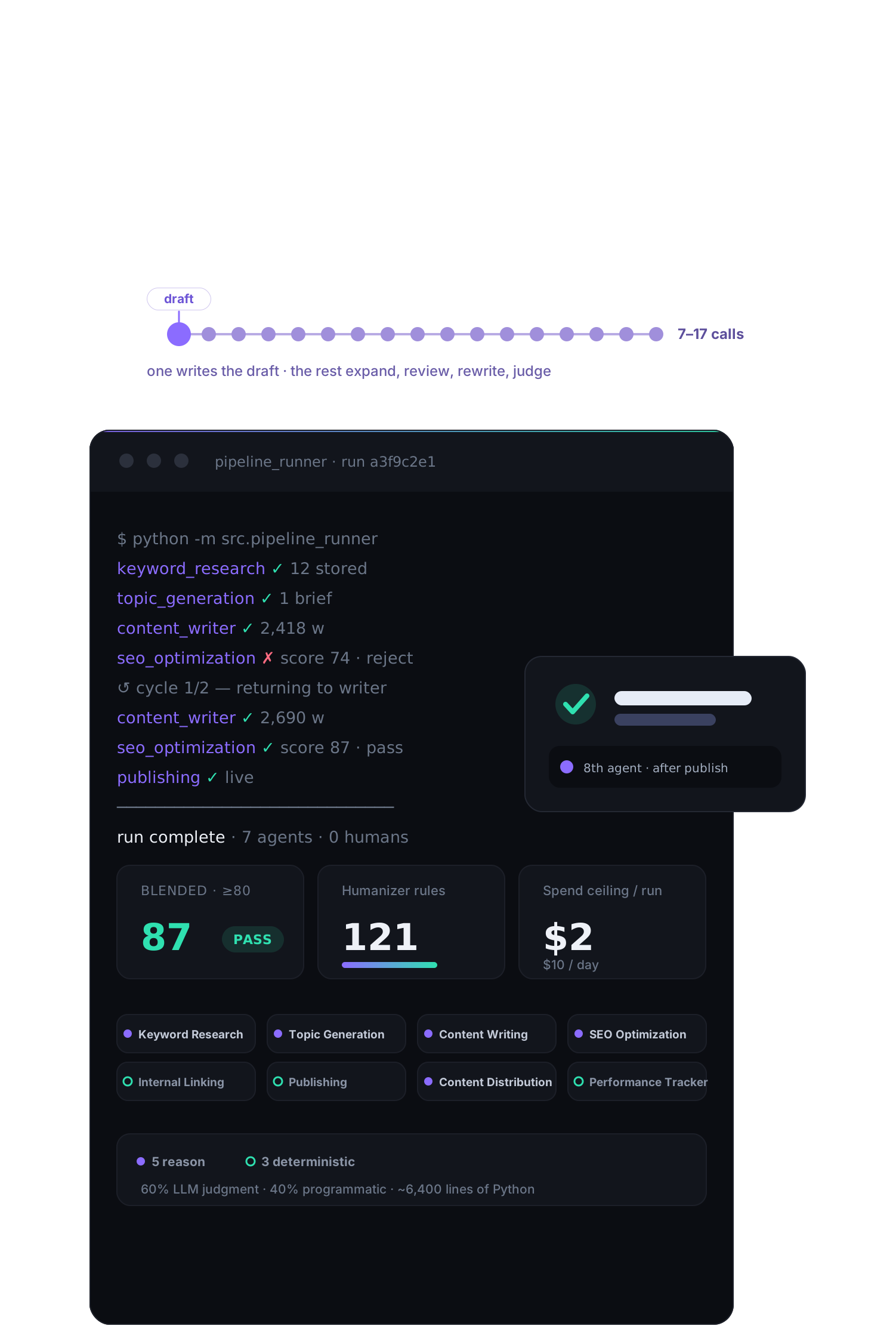
Research, write, review, publish and measure, with nobody watching. Four weeks from working prototype to production.
121humanizer rules before anything publishesA quality bar it cannot skip
The gate is the product. Most of that build went into what stops a bad run from reaching a reader in the first place.
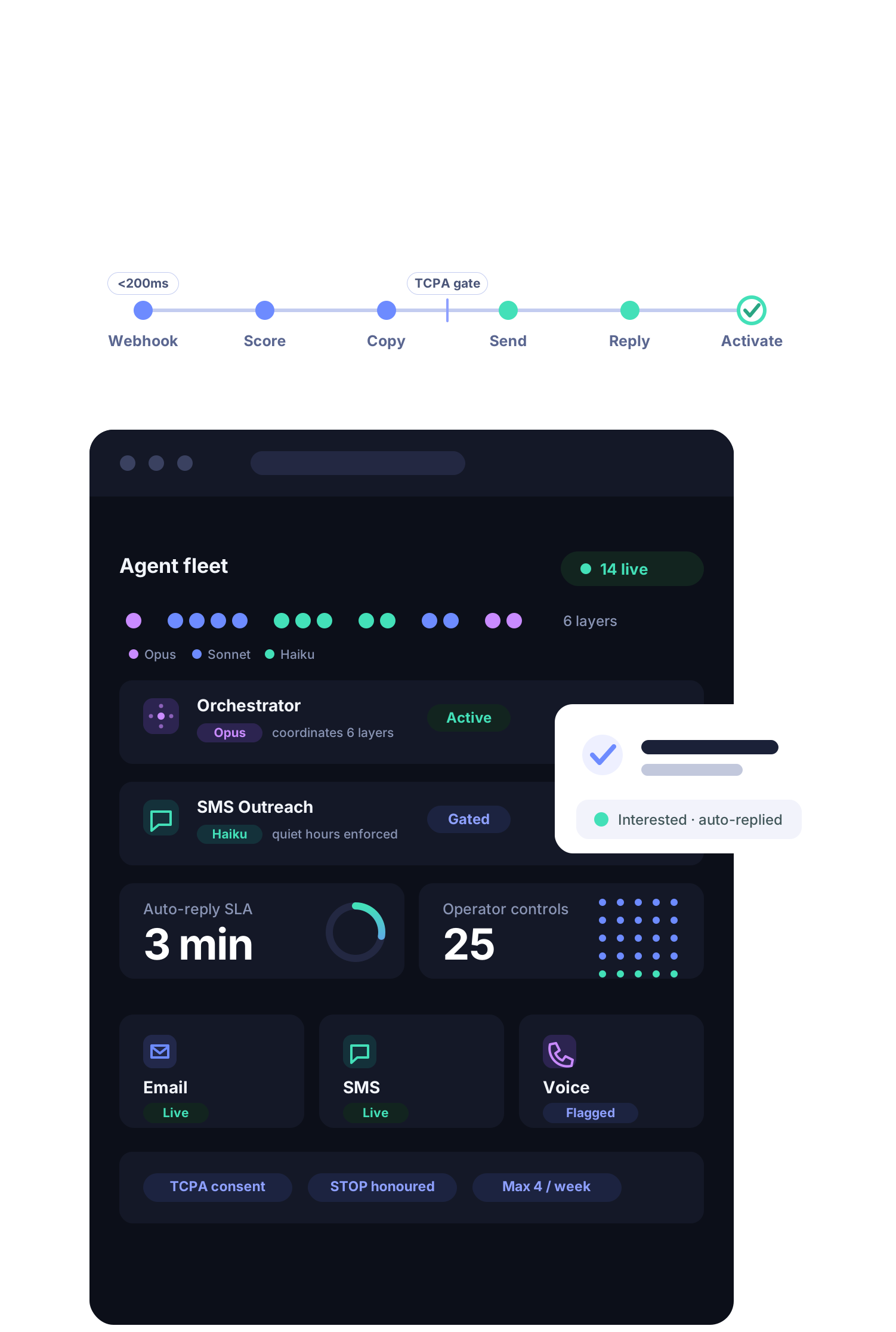
3 minauto-reply SLA, around the clockAnswers at machine speed
A signup lands and the chain runs. No queue, and no waiting for somebody's morning.
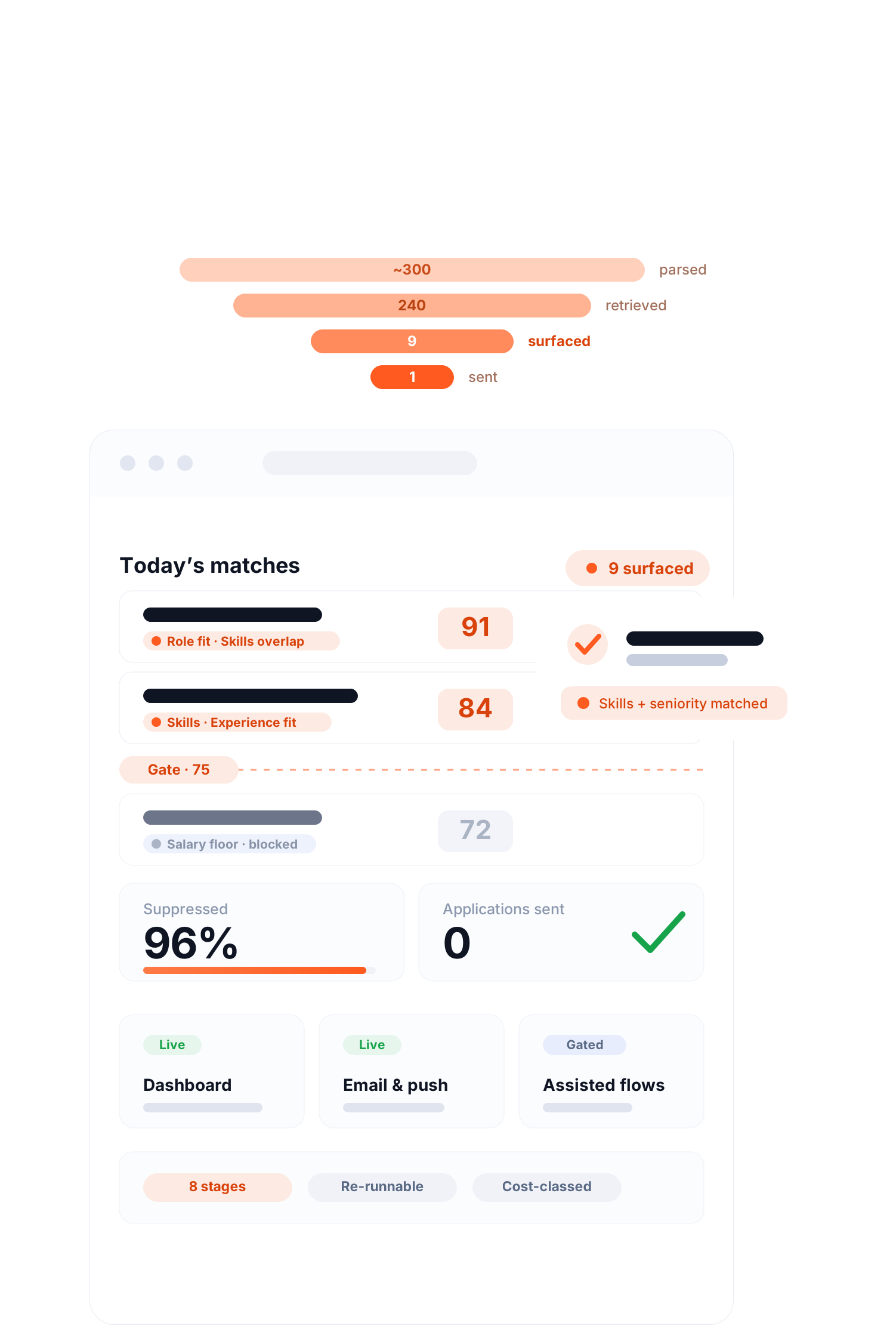
96%of listings ruled out before a human lookedReads the whole thing
The system reads everything and hands back what survived, with the reasoning attached rather than a summary you still have to verify.
0records written without a human confirmNever writes unsupervised
The agent proposes, a person approves. Every write is gated, logged and reversible.
70%less manual ops workOps hours that come back
The point is throughput. Work that used to queue for a person clears in minutes, at the same quality.

Five processes worth automating, and where a person stays in.
Document & Data Processing
Read the messy input — PDFs, emails, exports — pull the fields, reconcile them, and file the result.
Anything that fails validationLead Qualification & Routing
Score and enrich inbound before a rep opens it, draft the follow-up, and stop at the send button.
The sendReporting & Business Intelligence
Pull the numbers from every system on a schedule and write the summary someone used to assemble by hand on Monday morning.
What to do about itSupport Ticket Triage
Answer what is answerable from your own docs and ticket history, route the rest, and never invent a policy.
Policy and moneyMonitoring & Alerting
Watch the queues and thresholds that page a human at 2am, triage what trips, and escalate with context instead of a bare alert.
The fixWhat an automation we ship is made of.
- 01TriggerWhat starts a run
A schedule, a webhook, a row landing in a queue, or a person asking. Every workflow has exactly one, and it is written down.
- 02ExtractWhat it reads
The messy input taken whole rather than chunked — invoices, transcripts, threads, exports — with the fields it must find named up front.
- 03DecideHow it reasons
Classification and routing with the reasoning recorded, so a reviewer can see why a case went the way it did.
- 04GuardrailsWhat it may never do
Thresholds it cannot cross, records it cannot touch, and the confidence level below which it stops and asks.
- 05ConfirmWhere a person says yes
The point the workflow hands over. High-volume routine clears automatically; anything uncertain waits for a human.
- 06LogWhat you can go back and check
Every run, input, decision and write, kept. An unattended system is defined by how it fails and by whether you can reconstruct the failure afterwards.
Why We Build with Claude
Three reasons, each one a failure we would rather not spend the project debugging.
Instruction-following that survives a long chain
14 agents across 6 layersA system that reads a 50-page report, extracts fields, classifies them and fires the right workflow fails at whichever step drifts first. Across the fleets on this site — 14 agents in one, 8 in another — the compounding matters more than any single-shot benchmark. Claude held the chain best in the comparisons we ran before committing.
A context window that removes the chunking layer
96% ruled out on one passWhole documents, full ticket histories and entire exports go in on one pass. That deletes the chunk-and-stitch code that is the usual source of dropped context — and the usual source of a summary that quietly omits the important paragraph.
Predictability we can put in front of a client
0 writes without a confirmEvery build here writes into someone's production system. Consistent, well-bounded behaviour is what makes a human-confirm gate meaningful and what gets a build through an internal review. It is the reason the FlyCRM figure is 0 and not 'low'.
Frequently Asked Questions.
How is AI workflow automation different from tools like Zapier or Make?
Tools like Zapier automate simple, rule-based actions (if X happens, do Y). AI workflow automation is fundamentally different-it uses language models to reason about data, handle variability, and make intelligent decisions within the workflow. It can read a messy document, extract the right information, classify it, and trigger the right action-not just move data from one field to another.
What business processes are best suited for AI automation?
Processes that involve reading and interpreting unstructured information (emails, reports, tickets), making classifications or decisions, and triggering actions based on context are ideal for AI automation. Common examples: lead qualification, daily report generation, support ticket triage, contract review summaries, and financial data processing.
How long does it take to build and deploy an AI workflow automation system?
A focused automation for a single process (e.g. daily report generation or lead qualification) typically takes 3–6 weeks from scoping to deployment. More complex multi-stage pipelines that connect several systems can take 6–12 weeks. We always start with a scoping phase to map your current workflow before writing any code.
What happens when the AI makes an error in the workflow?
We build human-in-the-loop controls into automation systems wherever the stakes are high. This means the AI handles the high-volume routine cases automatically, but flags uncertain or low-confidence outputs for human review before they trigger downstream actions. Every system includes logging and monitoring so you can track performance over time.
Idea in your head? Let’s
bring it to life.
Got a project? A wild idea? Or just want to say hey?
We're here for all of it — reach out anytime.